For some Challenges, you can choose whether you want to participate as a part of a team or as an individual. These options are presented after you register.
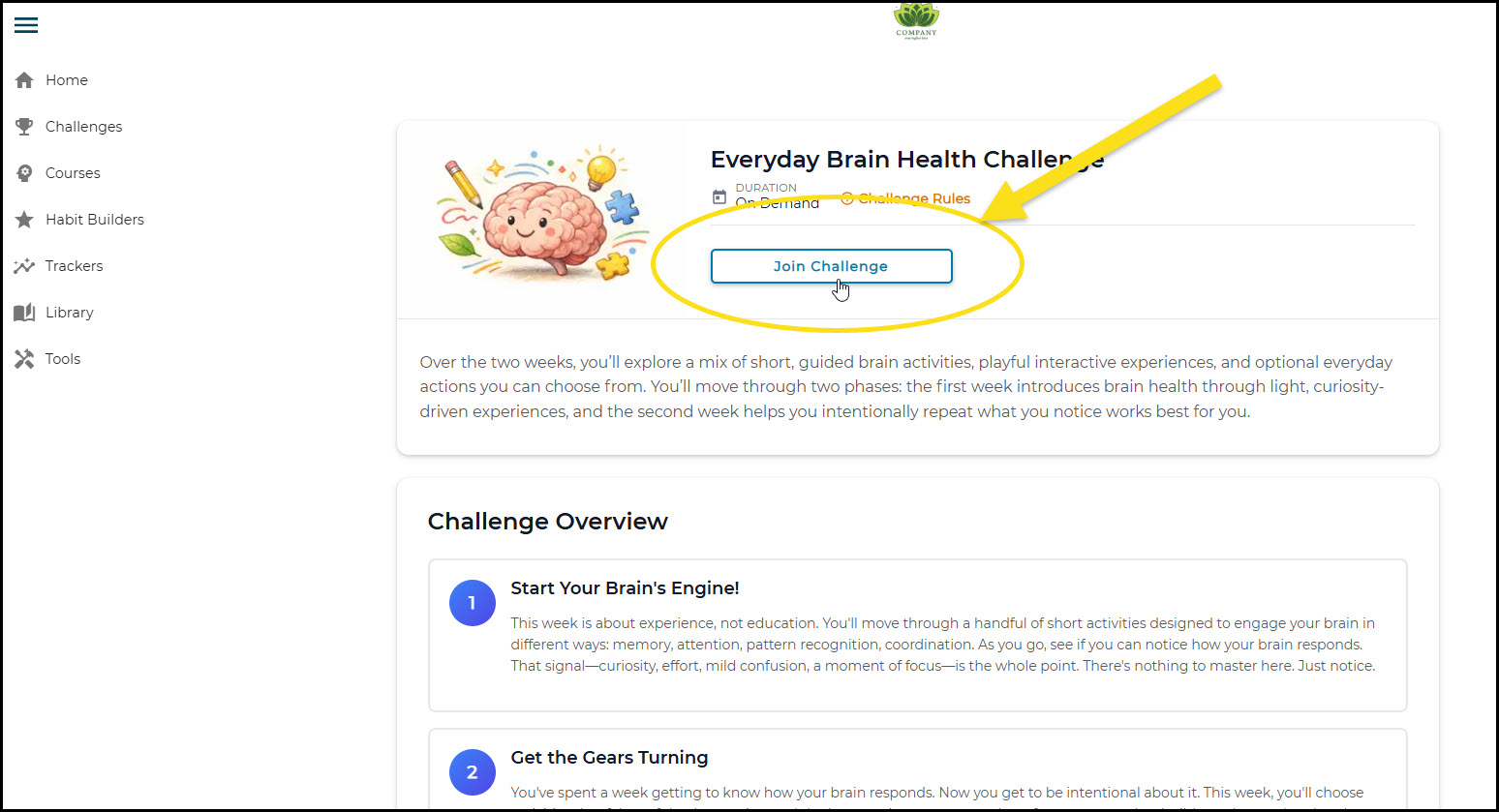
First, choose the Challenge you want to participate in by clicking the "Join Challenge" button:
Then, if the group option is available for the Challenge, you can choose how you want to participate:
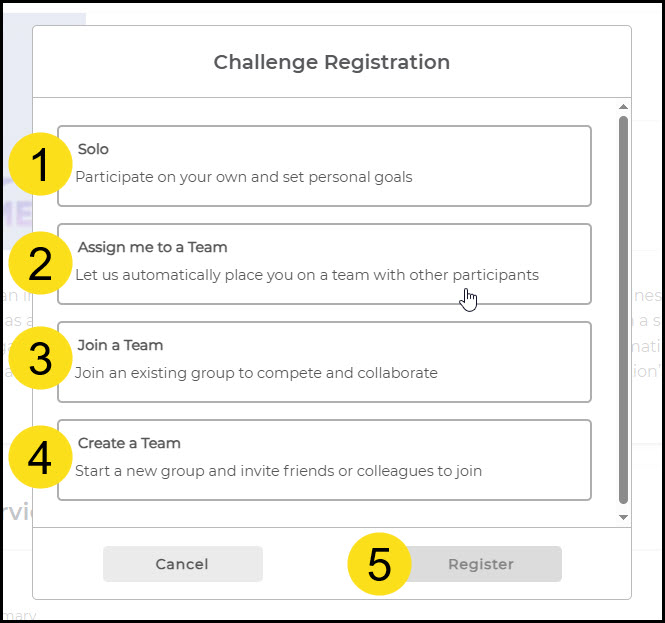
- Participate as an individual, part of no team
- Get assigned to a team randomly
- Join an existing team with a group code
- Create your own team and invite others
Creating a New Team (button 4 above)
If you create a new team, a box will pop up for you to review:
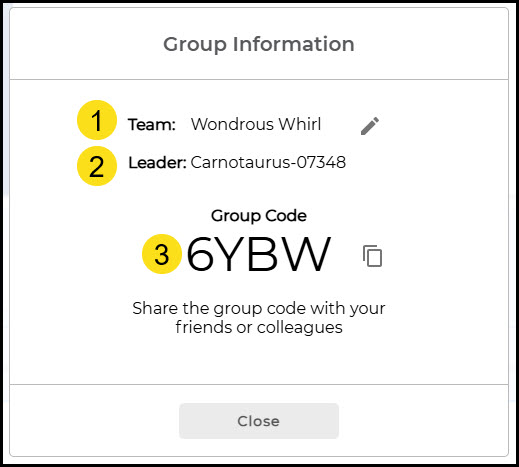
- A team name automatically generates but you can change it to whatever you want by clicking the pencil icon
- The creator of the team is the leader
- The Group Code can be shared so others can join the team when they register
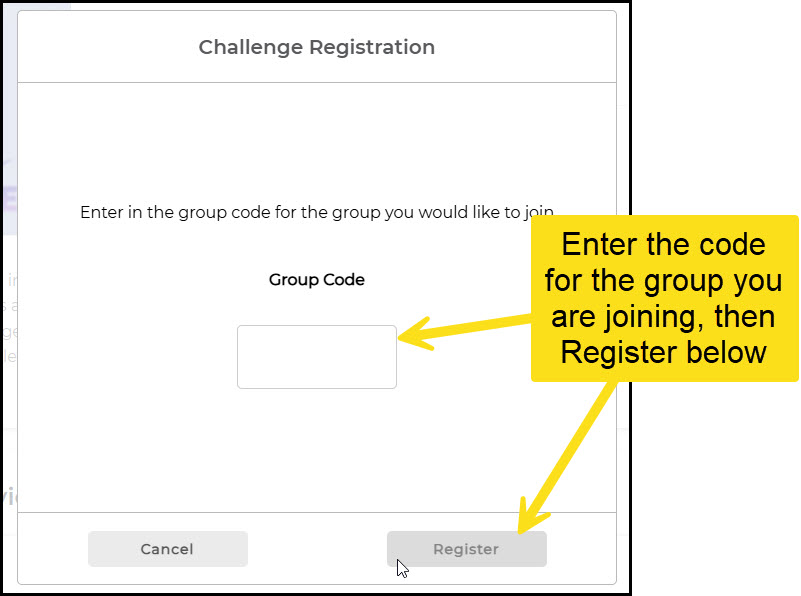
If you want to join an existing team, select the option after registering, then enter the group code:
Was this article helpful?
That’s Great!
Thank you for your feedback
Sorry! We couldn't be helpful
Thank you for your feedback
Feedback sent
We appreciate your effort and will try to fix the article