You can update your account details—including your name, email, birthdate, gender, language, privacy settings, and social settings—through the web portal. Many of these settings can also be updated in the mobile app. This article explains how to make these updates via the web portal and on the mobile app.
Changing Profile Details in the Web Portal
Step 1: Log into your member portal
Step 2: Click 'Account' in the top right hand corner
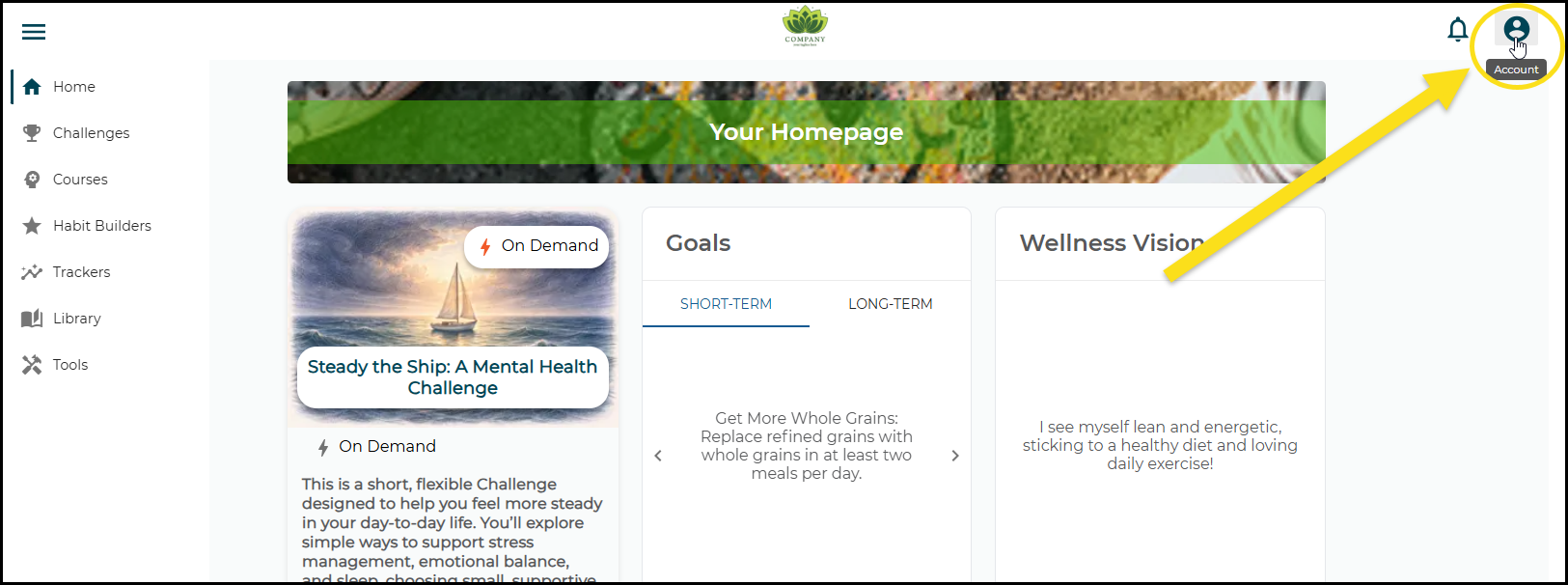
Step 3: From the drop down menu select "My Profile"
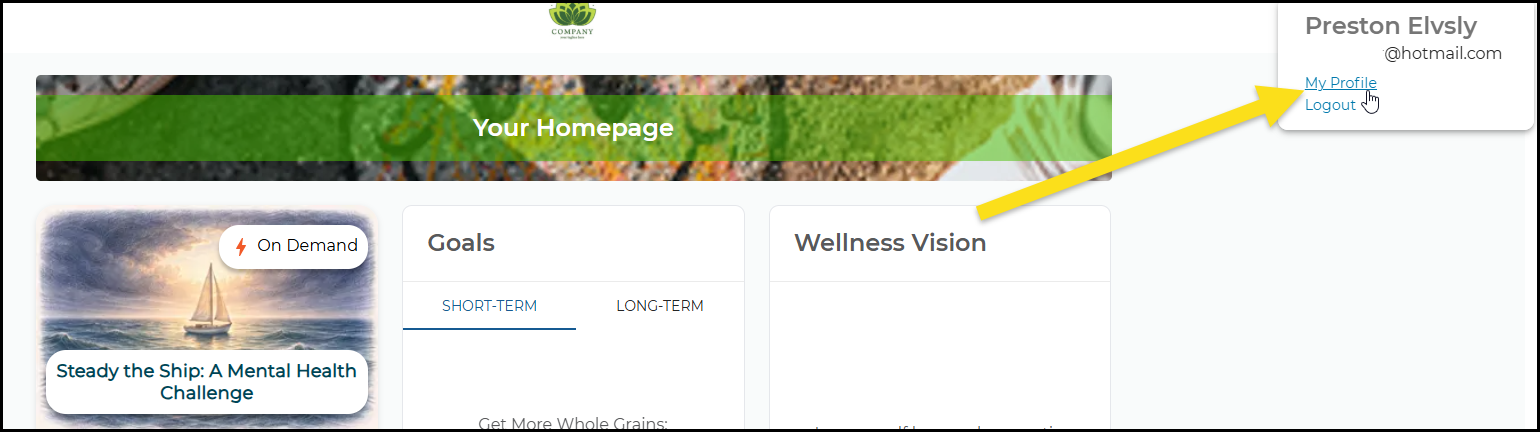
Step 4: Find the Profile Section You Need
Beneath the "My Profile" heading on the page, you'll see section icons. You can click on the one you want or you can simply scroll down the page.
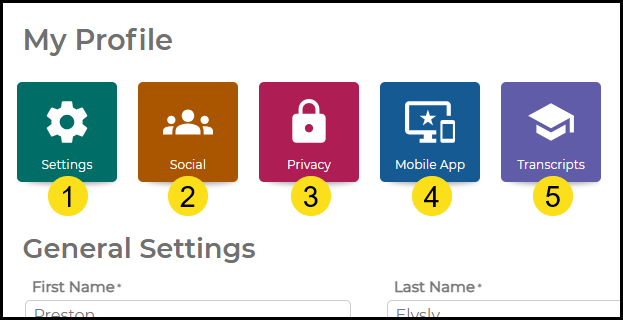
- General Settings (like name and email)
- Social Settings (like handle and avatar)
- Privacy Settings (opt-in or out of various communications)
- Navigation to App Stores to get the Mobile App
- Transcripts for completed courses
The General Settings Section
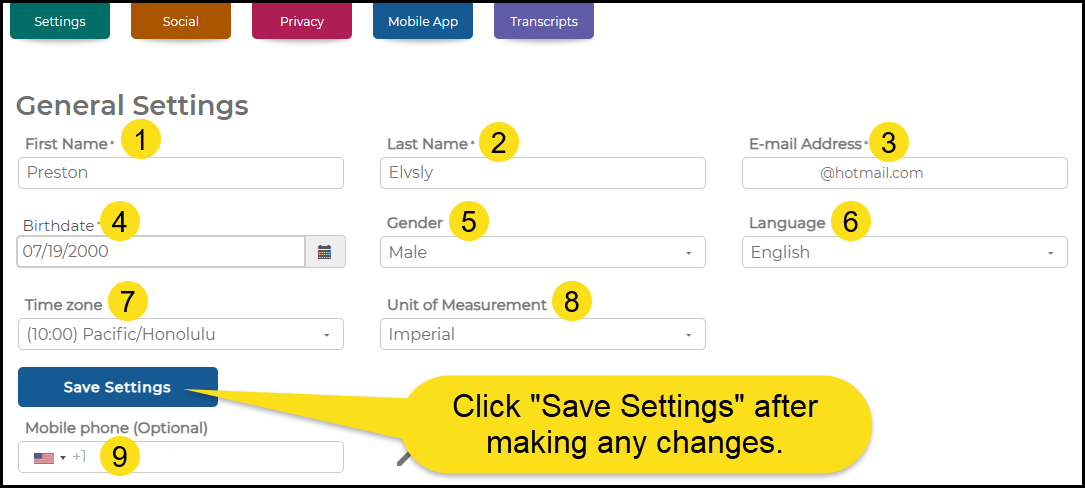
- Change your first name
- Change your last name
- Change your account's email address
- Change your birthdate
- Change your gender
- Change your default language
- Change your default time zone
- Change your default unit of measurement
- Add or update your mobile number
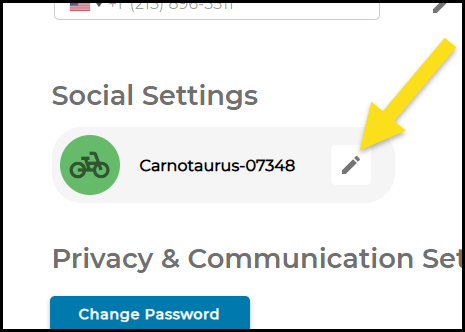
Social Settings (social handle/nickname and avatar)
To update your social handle (this is how your identified in Group Programs and On-Demand Challenges), click the pencil icon:
Now you can make your updates in the box that appears:
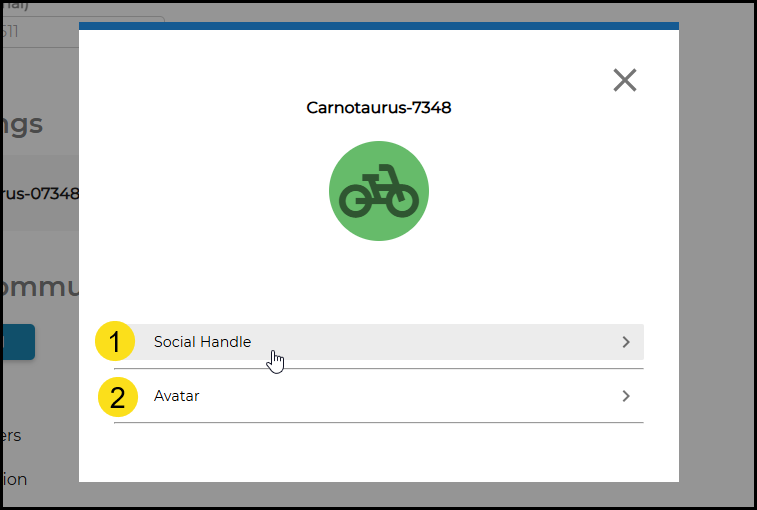
- Change your handle, or nickname
- Change the color and image of your avatar
Changing Profile Details in the Mobile App
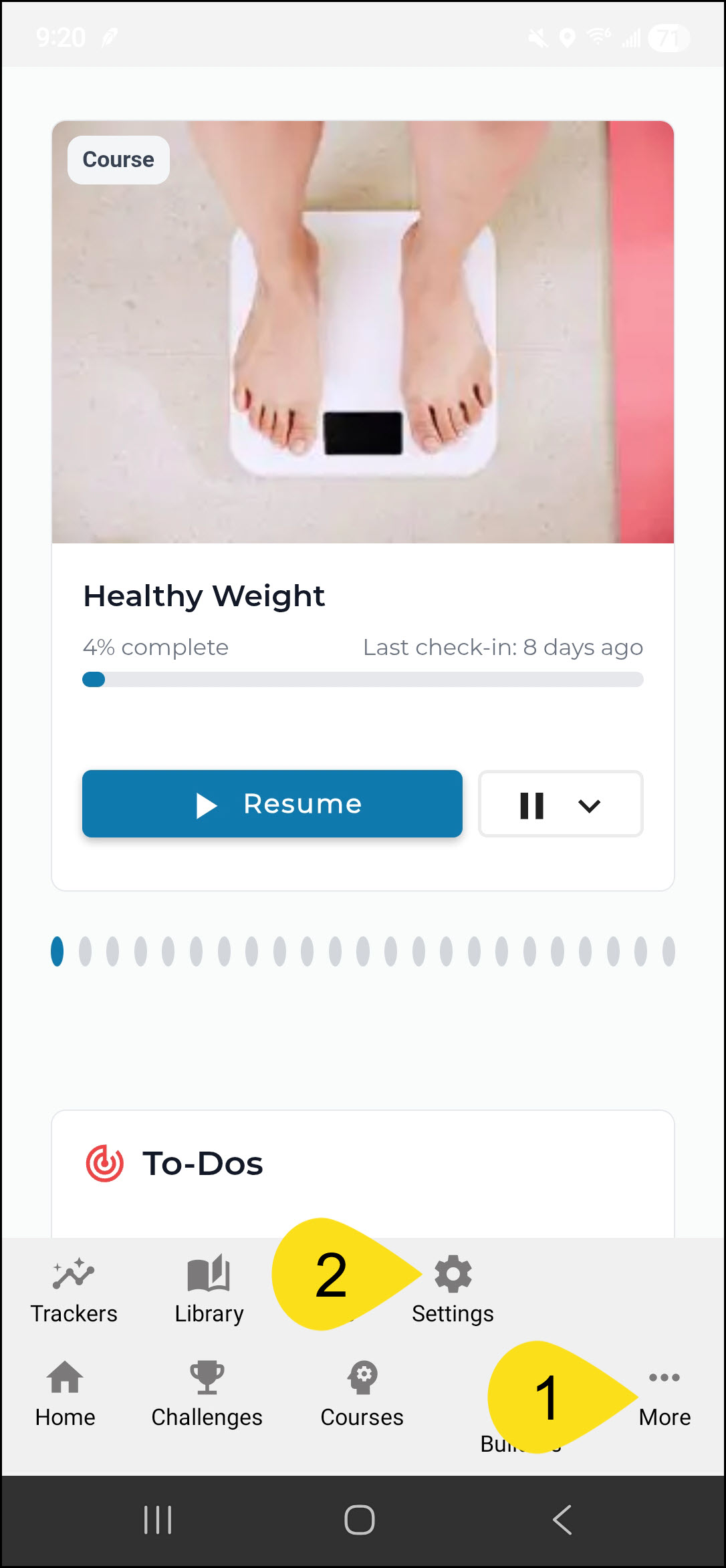
Step 1: Select "More" in the bottom menu, then "Settings"
Step 2: Choose the section you want to update
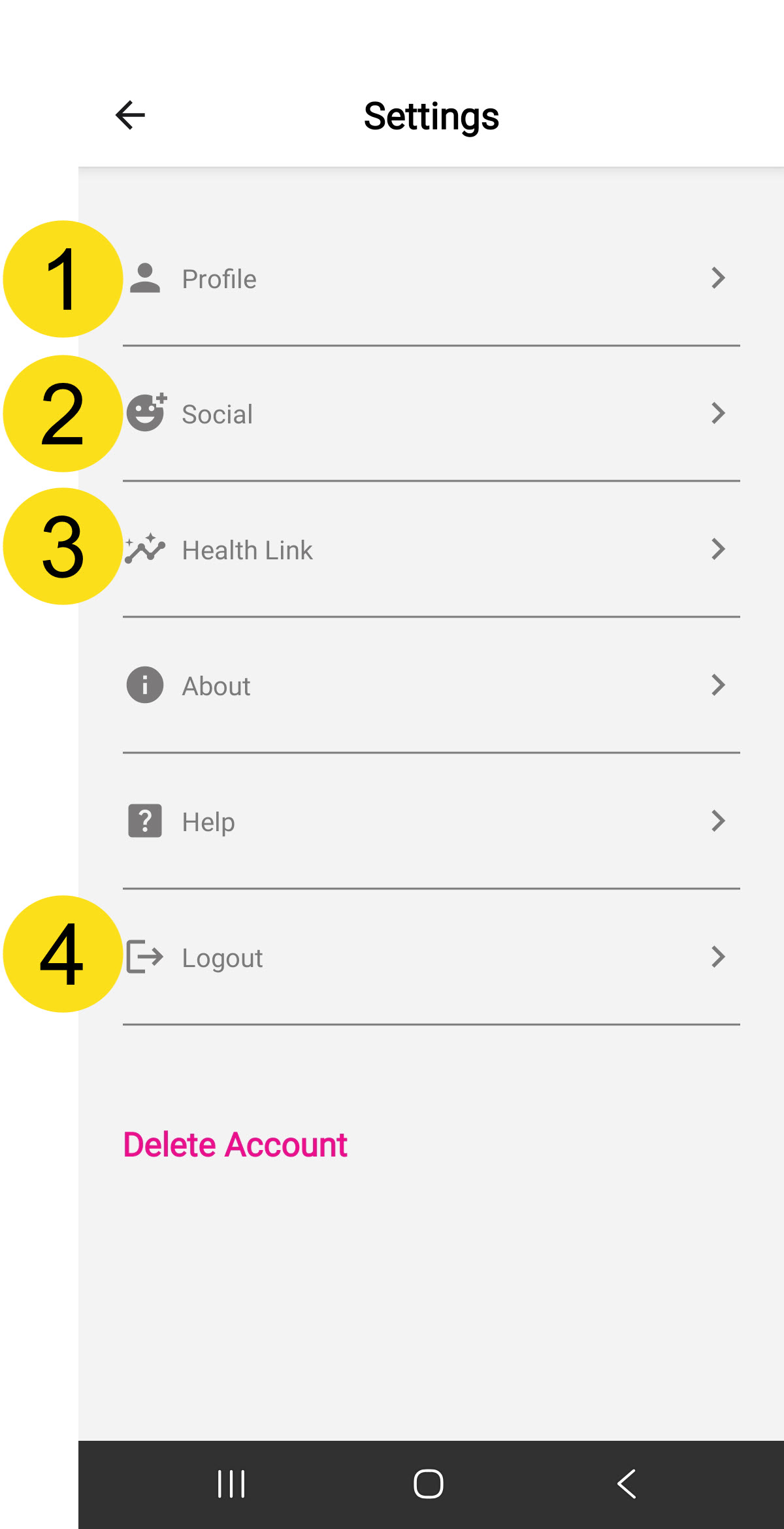
- Profile includes your name, email, time zone, birthdate, and system of measurement
- Social includes your social handle and your avatar
- Health Link allows you to link your other health data and devices to your Avidon account
- You can logout of your app account
Was this article helpful?
That’s Great!
Thank you for your feedback
Sorry! We couldn't be helpful
Thank you for your feedback
Feedback sent
We appreciate your effort and will try to fix the article